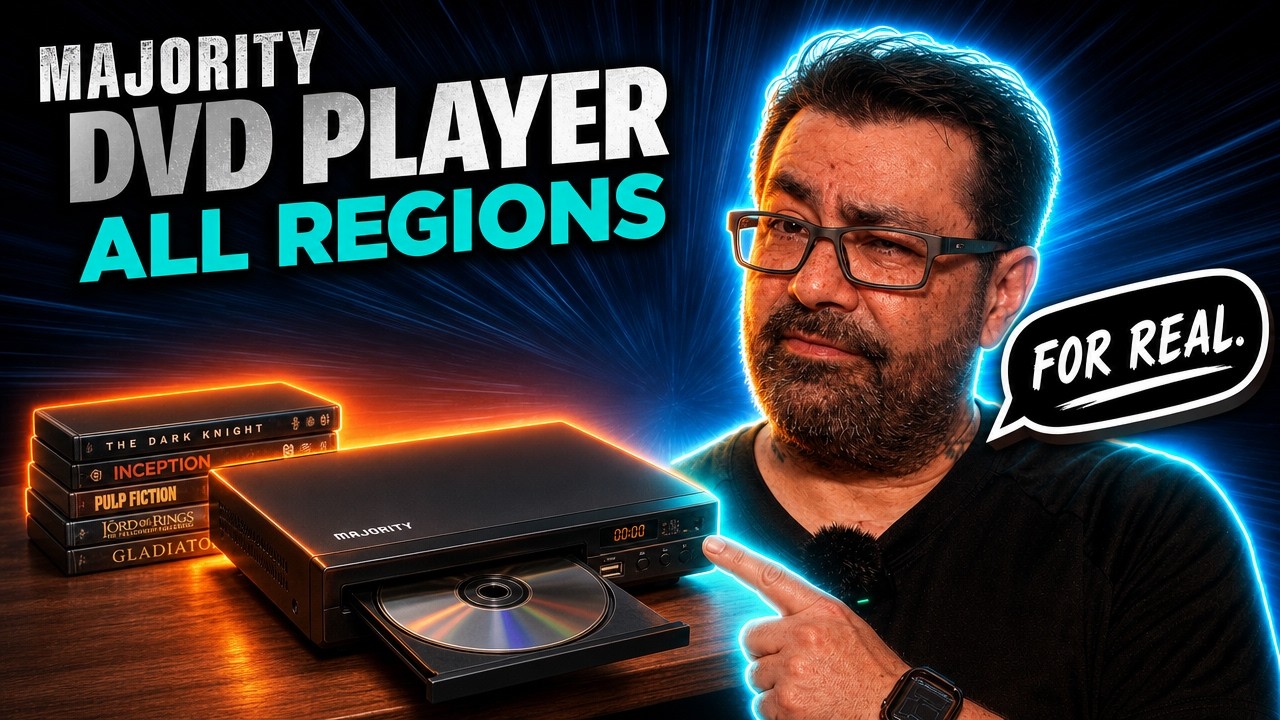
Majority All-Region DVD Player — Play DVDs From ANYWHERE! | Worth It?
Tired of finding a DVD you want only to discover it’s from a different region? Today I’m checking out the Majority All-Region DVD Player and seeing whether it’s a good option for physical media collectors.
For collectors who buy import DVDs, international releases, rare editions, and movies that never received a domestic release, having an all-region player can open up a much bigger world of physical media.
In this video, I’ll take a closer look at the Majority DVD Player, its features, setup, playback, and overall performance—and answer the big question: is it worth buying?
📀 All-Region DVD Playback
🌎 Great for International & Import DVDs
🎬 Physical Media Collector Setup
🔥 Is It Worth It?
If you enjoy DVD, Blu-ray, 4K UHD, Steelbooks, boutique releases, and physical media collecting, LIKE the video and SUBSCRIBE to BULLBOYKENNELS for more!
Hey, what’s up, everybody? it’s your boy, BULLBOYKENNELS. You know, I got a little video here for you. This was something that was, uh, Pretty much, you know, like sent out to me for for a review for the most part. So, And, you know, you know, no money exchange for this. You know, they just sent it to me. I get to review it, get to keep it. So, you know, we’ll see how it is, and that is none other than from majority. I guess that’s the brand is majority. And this is their uh, multi-region, uh, DVD player.
Now, I don’t have multi-region DVDs. I got multi-region Blu-rays but not DVDs. So, can’t test that part out of it, but, you know, we can definitely check this uh, this here out. See how this here box is. You know, and what it does include. So it does, you know, come with the remote. The, um, HDMI cable, and then some, like, RCA cables, you know, for the old style TVs that you can hook this up to. Um, so it does come with that.
And it is pretty light, you know, I will say, so it’s one of those things, you know, if you drop it. It’s probably gonna, you know, probably gonna break if you drop it from a good distance. Um, so. Just keep that in mind. Now, the good thing is, this is like under 30 bucks. I think it’s like $29, $28. You could probably catch it on sale as well because I do see that they do run sales for this. Um, you know, like on Amazon. So you can always pick it up from there.
Um, you know, if you ever need something where, you know, hey, you just need a, uh, economical DVD player, just to take on the road with you, you know, whether you go camping or whatever and you got a little setup to where you can hook it up to, uh, to power, you know, you could definitely do that. It does use a regular, You know, plug in cord for it. So you know, there is that. But anyways, let’s just go ahead and get into the, uh, uh, device itself. I will give you a quick look at this. I do have this hooked up.
So might be a little, little bit tricky, but I’ll try to uh, get it in view as much as possible. Um, Yep. New I was going to do that. So, do have that there. And then, of course, we do have the buttons on the front side. With the uh, Orange uh, lettering. So, hopefully you can see that. Ah, it’s not, uh, you know, definitely to check everything else out. Um, So give me just a quick moment. We’ll go grab this item that I dropped. All right, so we’re going to go ahead and get into the menu system real quick for this.
Just so you can get a look at that. I did try to get most of my screen in view, but, You know, I ain’t that tall, so, It might not all be in view there. So, Let me just step out the way. So that way you can at least see the screen itself. So, here we do have the uh, the menu system, of course. So, you know, you can set up your TV, whether you want it to be NTSC or PAL, or you can set that to auto screensaver, of course.
Your video, whether you want a P scan or interlace, you know, depending on what type of, uh, footage you are using, because you can’t connect a, uh, USB plug to this, um, as well. And then, of course, your HD outputs. I just set it to 1080. And of course, your TV type. So you do have that on there. Then we just go to the next page. And it’s just kind of, Kind of different stuff like that. Uh, and let me see if I can get out there. So now we have the part with the onscreen display language.
So, you know, you pick the language that you want, audio, you know, subtitle language, of course. And then, of course, your menu, uh, your menu language there. So, And of course, your music output. So you can, you know, pick, you know, how you want it. You know, PCM, raw off, you know, whatever. And then, of course, your HDMI audio. You can either put it on PCM or auto.
I just put it on auto, you know, never know you got movies that are, you know, like Dolby Digital, you don’t want them going through as, um, as like a PCM audio. And of course, you could do your, uh, Brightness and contrast, use saturation if you do need to make any of those changes. So definitely do have that there. And then, of course, for speakers, you can do down mix. And for, I guess, the Adobe Digital, you know, your optical optical mode or whatever they call it.
And then your dynamic range, you know, you can have it set it to certain things. And of course, dual mono. I mean, that’s pretty much the, like the menu system. Really not a whole lot to it. But I figure, you know what? While I’m testing it, and I’m probably going to have to mute the audio for this because you know how, um, You know how, um, you know, YouTube can get, you know, with the audio talking about, hey, you know, copyright for this, copyright for that.
But anyways, um, I figured I’d go ahead and, uh, Since I was already watching 28 days later on 4K, figured I’d bust out my DVD for it. Get that on, uh, be, get that on there, might not come in, be in focus, but whatever. Figure I’d try my doing 28 days later. See how that is in the menu, you know, we just go ahead and do a scene selection. I don’t know what the invalid key part is, but okay. That’s fine. Maybe has to, uh, Do well, I didn’t see nothing for any updates, so…
Yeah, so, you know, we do have the chapter here with them, you know, going in the store and whatnot. So, pretty pretty cool. I mean, it does remind me what a DVD does look like. So. Now, I don’t believe there’s any upscaling done to this. So, you know, some DVDs may look better than others. Like I said, I know this one, you know, as far as the DVD doesn’t look all that great. But, I do know. With blood in and blood out. I know this one does look, um, you know, pretty decent.
So I’m going to go ahead and switch over to that one real quick. So we can see how that one looks. All right, so I do have the blood in and blood out DVD. So let me, uh, go ahead and select a chapter for this. And let’s see how this here looks. So, yeah, so, I mean, that’s pretty much how that looks on there. I do remember the movie looking better though. So, uh, you know, I probably have to play it in my in my regular uh, 4K player. Um, like I said, I don’t believe this does really any upscaling.
At least I didn’t see anything for that, but… Should at least, you know, give you a, uh… An idea of, you know, of how that picture would look. To me personally, this player is more for smaller TVs, not bigger TVs, like smaller as in like your 40 inches and below, um, that’s where I would really consider this DVD player for, um, just, you know, based on the way the movies themselves look. But I’ll go to, you know, and put in the next one just to see how that looks. So give me a minute and we’ll be right back.
All right, so the next film we’re going to go ahead and test out is going to be the nightmare on Elm Street DVD. Um, Like I said, I don’t have any of that are Multi-region, so I got to do all my NTSC stuff. So this will be the next one we’re going to take a look at. See how that looks on there? It’s probably going to be similar quality to the other, um, you know, movies that we did try out. So, this is going to get a scene selection. Uh, what’s it seen? Yeah, let’s go 7 to, 7 to 12.
All right, let’s go ahead and check out this scene and see, you know, how that looks. Whether or not the quality is good for that. So does it look bad? Oh, you know, really doesn’t? You know, I still say that this has really meant more. More for smaller TVs. You know what I mean? Smaller TVs. That’s that’s really where, uh, But yeah, so I, you know, as I mentioned, so that to me, that’s where I think this really shines more for kids’ bedrooms, you know, smaller TVs, 40 inches are below.
You know, you start getting 65 inches, you know, probably anything above 50. You know, if it’s not doing any upscaling, which I can’t tell you if it doesn’t, I just, I don’t know. I didn’t see anything about upscaling. So, you know, I can’t tell you, I don’t see anything for that. So I’m going to have to assume no, there’s no upscaling. So based on that, I’m going, you know, I’m going to keep it with keep it for TVs, 40 and under, you know, inch wise.
Great for small kids rooms, you know, little family guest rooms, where, you know, somebody damages your DVD player. You’re not losing a bunch of money. You know, it’s only going to be like 30 bucks if that, you know, so definitely a good way to save a few bucks. You know, not have an item that’s going to end up getting broken where, you know, you’ll have to spend a ton of money to replace it. But especially if you have kids, great for them, you know, most kids aren’t going to be watching 4Ks anyways or Blu-rays.
You know, a lot of times they just got a bunch of DVDs. And it’s great way to do it. Um, I will uh, revisit this at a later date once I can get some uh, some DVDs that are, you know, Powell region so I can test to see, you know, whether or not the uh, the auto, um, I don’t know if it’s just auto switches or not. But see, yeah, you know, that picks it up automatically on its own or if I have to go in and switch it myself. Or if it does or does not actually play them.
So again, that’s something I have to revisit back at a later time. But other than that, you know, hey, great little uh, great little device there. I mean, like I said, it’s it’s really lightweight. It’s really small. And again, that was from… If I can get that in the image there. From majority. Uh, they’re a DVD player, uh, multi-region. So, you know, we’ll see if it really, uh, you know, it really does the uh, multi-region part. Hopefully it does. But, um, again, that’s something I have to test at a later date.
Other than that, hey, it’s your boy, BULLBOYKENNELS and as always. Keep’em scratching. Peace. We up out of here. Until the next video. You know, it’d be nice if they do a, um… If they do a Blu-ray player, if they come out with that. Now that I do got, I got, uh, media that, you know, are, are in other regions. But uh, I guess that’s for another time. Anyways, like I said, it’s BULLBOYKENNELS, and as always, keep’em scratching. Peace. We up out of here.
★★★★★ Tips for Coffee: ★★★★★
CashApp: $bullboykennels
Paypal: https://paypal.me/bullboykennels
Patreon: https://www.patreon.com/join/bullboykennels
————————————————————————————
* AMAZON PRODUCTS I USE (AFFILIATE LINKS): *
// ” As an Amazon Associate I earn from qualifying purchases.” For social media user-generated content. //
* *
* VIDEO GEAR:
– Sony ZV-E10 II APS-C Mirrorless Creator Camera with 16-50mm Lens: https://amzn.to/4cITuZT
– Tamron 17-70mm f/2.8 Di III-A VC RXD Lens for Sony E APS-C: https://amzn.to/471gnnL
– Canon EOS RP Full Frame Mirrorless: https://amzn.to/4jakBi6
– Canon EOS M200 Compact Mirrorless: https://amzn.to/4aatjsz
– Canon RF50mm F1.8 STM: https://amzn.to/3C8ZWKj
– Canon RF35mm F1.8 is Macro STM: https://amzn.to/4j01Y0d
– Atomos Ninja 5.2″ 4K HDMI Recording Monitor: https://amzn.to/3PpbdJA
– Blackmagic Design ATEM Mini Pro: https://amzn.to/3Prq1aM
* AUDIO GEAR:
– Sound Devices MixPre-6 II: https://amzn.to/3W9PxoI
– Electro-Voice RE20: https://amzn.to/3Wwgqn5
– Shure SM7B Cardioid Dynamic Microphone: https://amzn.to/4j8aWsm
– SENNHEISER MKH 416: https://amzn.to/4dicqyH
– SENNHEISER MKH 50: https://amzn.to/4cC7VyQ
– Sennheiser HD 600 Headphones: https://amzn.to/4hmRmqD
– RØDE RØDECaster Pro II: https://amzn.to/4h7bo8l
– RØDE RØDECaster Duo: https://amzn.to/3DJD5pk
* LIGHTHING GEAR:
– Aputure Light Storm C300d LED: https://amzn.to/4h8AXph
– Aputure LS 60X Bi-Color LED: https://amzn.to/4ho9Ppg
– Aputure LS 60d: https://amzn.to/4gPgTez
– Aputure MT Pro: https://amzn.to/3SJbzAh
– Aputure MC Pro: https://amzn.to/3UFzpgS
– Aputure amaran 60dS: https://amzn.to/3ZZPqgk
– Aputure Light Dome Mini III: https://amzn.to/408WqYl
– Elgato Key Light: https://amzn.to/3We0PYX
* *
————————————————————————————
#BULLBOYKENNELS
Share this content:



Post Comment